Describe it in words.
AI watches it.

Point any camera you already own at what matters: a spare phone, a webcam, a Wi-Fi camera. Tell the AI what to watch for in plain language and get an alert the moment it happens.

"Alert me if my cat jumps on the counter." "Tell me when a package arrives." "Notify me if my 3D print fails."
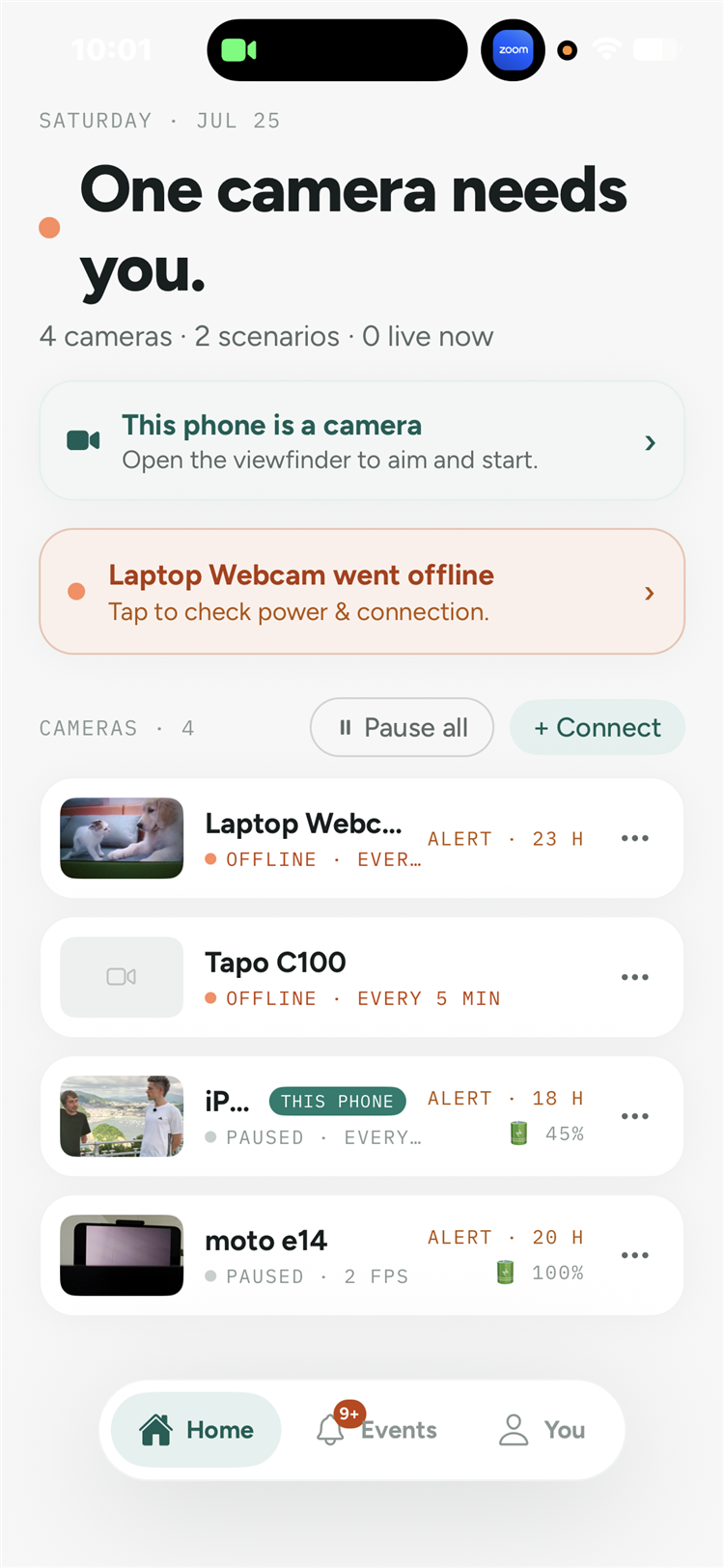
AI Vision Monitor home screen with a fleet of cameras
Natural language scenarios

No fixed detection lists. Any scenario you can put into words.

Write one sentence and the AI drafts the whole scenario: what to look at and when to alert you. Test it on the current frame before you spend a single credit.

  • AI drafts the scenario from your description, in any language
  • Not motion detection: the AI understands what it actually sees
  • Remembers earlier frames, so it will not alert twice for the same thing
Tell me when a dog appears in the scene
AI DRAFTED ๐Ÿ‘ Describe the scene and note any dogs, people, or movement. ๐Ÿ”” Alert when: a dog is visible in the frame
One account, a whole fleet

From one spare phone to a hundred cameras.

Every camera lives on one Home screen with live previews, schedules and battery state. Phones become cameras or the control room; webcams and Wi-Fi cameras join through the free Windows connector.

  • Spare phones, USB webcams, RTSP and Wi-Fi cameras together
  • Each phone works as a camera or as the control room
  • Pause everything with one tap, resume any time
Camera fleet on the Home screen
Scenarios that fit the scene

Several scenarios per camera. Each with its own brain.

One camera can watch for the dog, the delivery and the open door at once. Every scenario picks its own AI model, its own cadence and its own alert rules.

  • Four AI models per scenario: lighter to save credits, smarter for hard scenes
  • Check on a schedule or only when something moves
  • Stop after the first alert, or keep watching with a cooldown
  • Quiet hours and per-day schedules
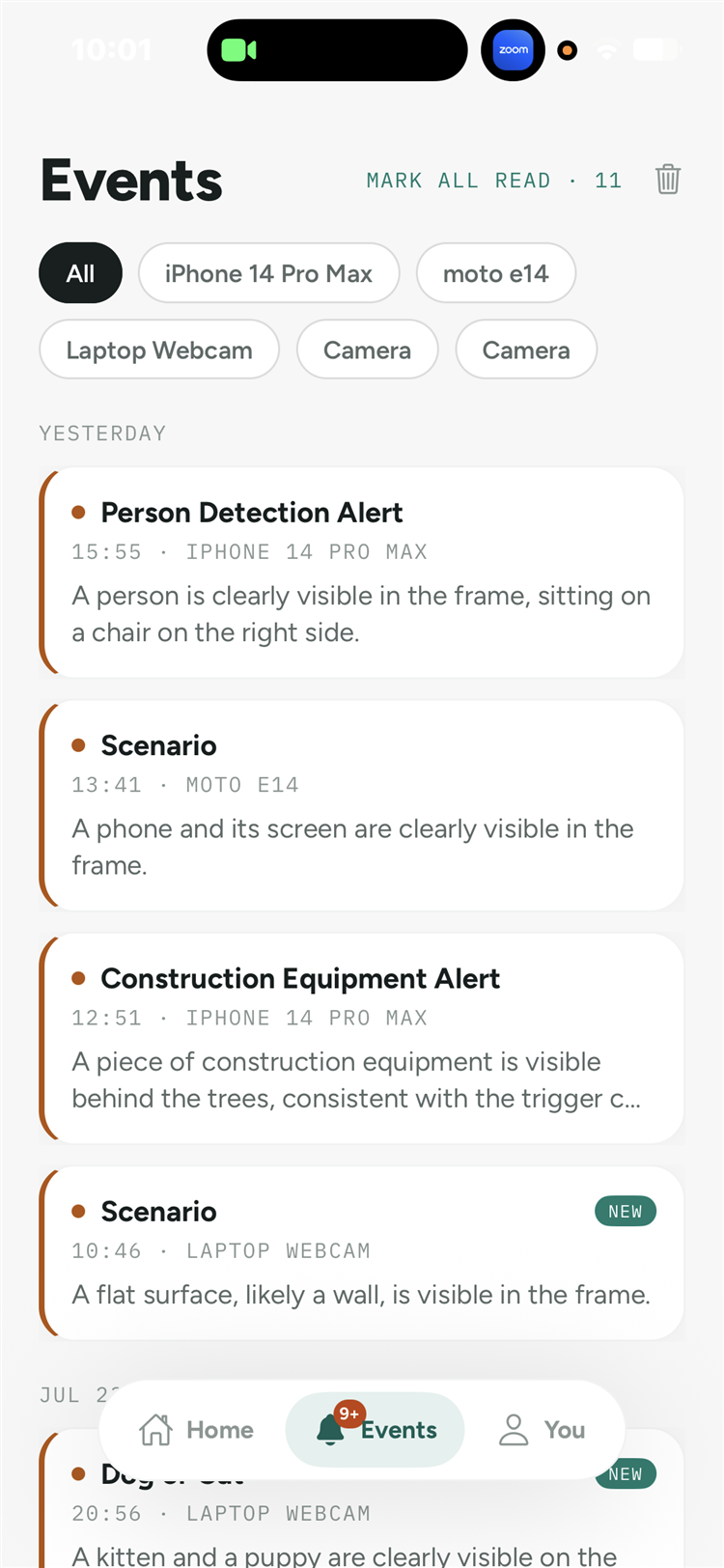
Events feed with AI descriptions
Alerts where you live

The moment it happens, wherever you are.

Every trigger lands in the Events feed with the photo and the AI's own words about what it saw. Alerts reach you by push, email, Telegram or Discord.

  • Push notifications on iOS and Android
  • Email, Telegram bot and Discord webhooks
  • A heads-up when a camera goes offline
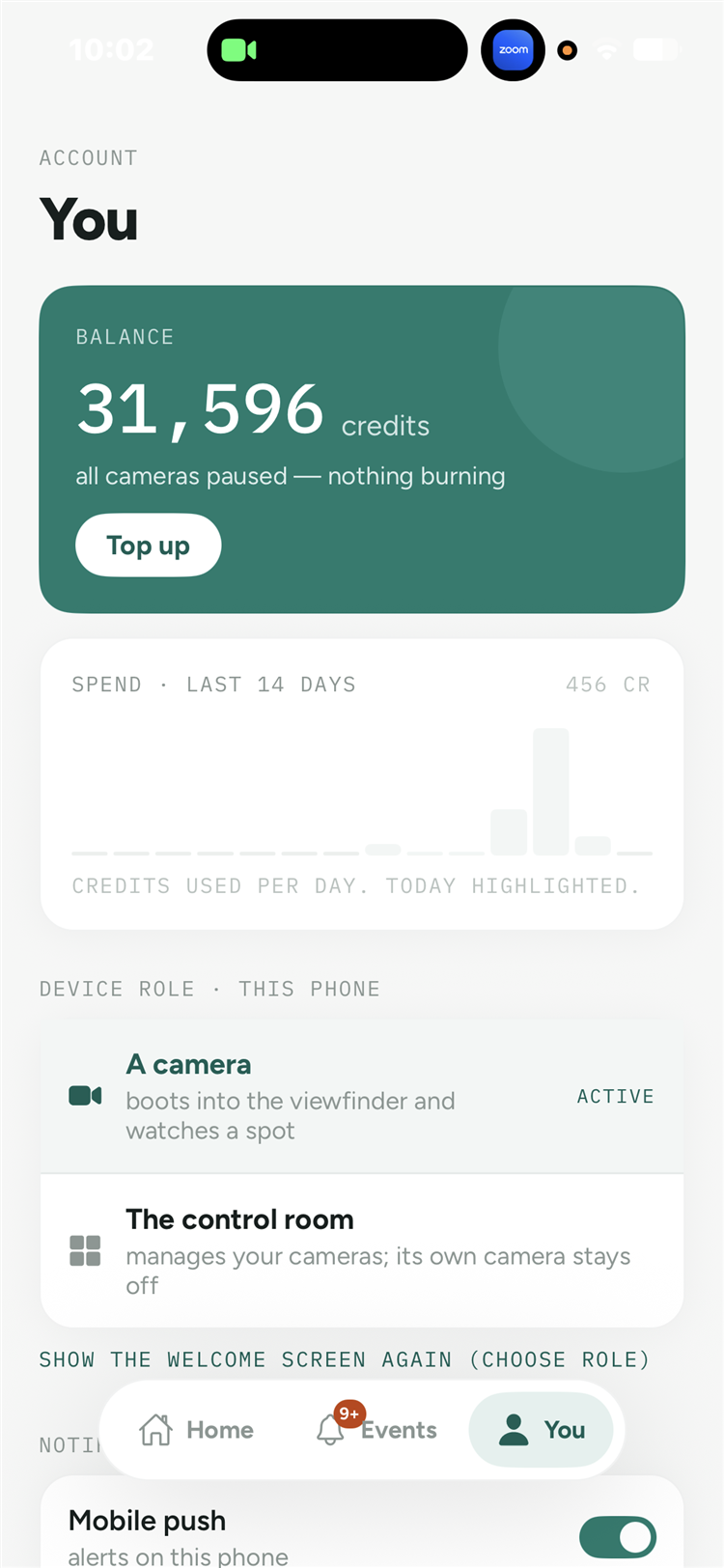
Account screen with credits and settings

Runs where your cameras are.

One account everywhere. Start in the browser, add your phone, grow the fleet.

Honest pricing. No subscription.

50 free credits to start, no card required. You pay only for the frames the AI actually analyzes, from half a credit per check. The estimated daily cost is shown before monitoring starts.

Start free

What people watch.

Real setups, step by step.

All use cases โ†’

AI Vision Monitor for business

Shop entrances, storage rooms, equipment state. The same scenario engine, sized for teams.

Learn more